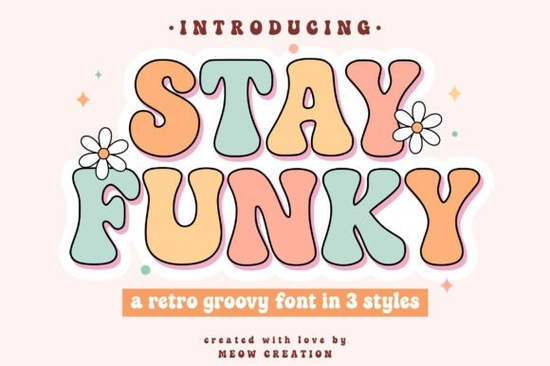
If you're looking for a way to add instant personality to your designs, Stay Funky Font deserves a closer look. This bold and playful groovy font brings back the colorful, carefree spirit of the hippie era but with a modern twist. Whether you're creating T-shirts, posters, or social media graphics, its curvy letters and bubbly shapes make any project stand out. And because it comes with three distinct styles – Regular, Outline, and Shadow – you can layer them or pick just the right vibe without buying separate fonts.
What styles come with the Stay Funky Font?
The set includes three fun variations, so you’re not stuck with just one look:
- Regular – the solid, bold base with a true retro silhouette.
- Outline – perfect for coloring, etching, or using as a stencil.
- Shadow – adds depth and dimension in one click.
Each style covers a full groovy alphabet (A–Z) plus numbers and basic punctuation. You also get bubble letters in SVG format, which means you can easily cut them with a Cricut or Silhouette machine without tracing or converting anything. That’s a real time‑saver if you’re prepping vinyl or HTV for a custom tee.
How can you use this vintage font in your projects?
Because the Stay Funky Font comes as both OTF/TTF and SVG files, it works for both digital and physical crafting. Here are a few ways designers and sellers put it to work:
- T-shirts and hoodies – the Shadow style gives a retro 3D effect that looks great in single‑color prints.
- Posters and signs – use the Outline version to create a coloring‑page feel, or layer Regular on top of a bright background.
- Stickers and labels – the bubbly shapes grab attention on product packaging or laptop decals.
- Logos for small businesses – if you run a vintage‑themed shop or a cafe, this font adds that groovy, unpretentious character.
- Social media graphics – use the bold Regular style for short quotes or hashtags that need to pop on Instagram or Pinterest.
The font files are fully compatible with Cricut Design Space, Silhouette Studio, Adobe Illustrator, and most cutting software. Once you upload them, you can resize, weld, and manipulate letter spacing just like any other font.
Is this the right retro font for your craft or POD business?
Not every vintage font is versatile enough for print‑on‑demand or cutting projects. Some are too thin or lack alternate characters. The Stay Funky Font is intentionally chunky and readable, even at smaller sizes. That’s important if you’re printing on mugs or phone cases where space is tight.
If you enjoy this style, you might also like similar options in the display fonts category. For a slightly sharper retro feel, check out the Mascot College font. If you prefer extra‑thick, stacked letters, the Stacked Chunky font is a good match. And for a more playful, balloon‑like look, the Glossy Bubble font gives that shiny finish without the outline step. All of these work well for Cricut and Silhouette users who want a quick, bold result.
What about SVG files – are they included?
Yes. Along with the standard desktop font files, you get separate SVG files for each letter and number. That’s especially helpful if you’re using software that doesn’t handle OpenType features well, or if you want to import a single letter as a vector shape. The SVG files are organized by style (Regular, Outline, Shadow) so you can browse and pick the exact letter you need. This little detail saves a ton of time when you’re working on a multi‑layer project.
If you’re looking for other ready‑to‑cut SVG sets, the Wildflower School font also includes a full alphabet in SVGs, making it easy to mix and match with Stay Funky for a more eclectic design.
Practical tip: layer the styles for a quick retro effect
One of the easiest ways to use this collection is to stack the three styles on top of each other. Place the Shadow letters slightly offset behind the Outline letters, then color each layer differently. For example:
- Type your word using the Shadow style – make it dark purple or navy.
- Duplicate the same text and change it to the Outline style – make the fill white or transparent, and keep the outline stroke thick.
- Add a third copy using the Regular style – fill it with a bright color like orange or lime green.
This gives you a layered, screen‑printed look in just a few minutes. It works great for festival posters or event T‑shirts.
Stay Funky Font checklist for your next project
Before you start designing, here’s a quick rundown of what you get and how to begin:
- ☑ Three font styles: Regular, Outline, Shadow
- ☑ OTF and TTF formats for digital use
- ☑ Individual SVG files for each letter (ready to cut)
- ☑ Works with Cricut, Silhouette, and most design software
- ☑ Ideal for T‑shirts, stickers, posters, logos, and social graphics
If you’re after a groovy, vintage vibe that still feels fresh, Stay Funky Font is a solid pick. Download it, test it on a short word like “LOVE” or “GROOVY,” and see how the three styles can work together before you commit to a full design.
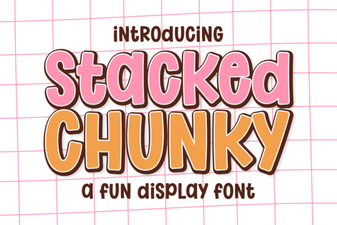 Chunky Font Designs for Creative Projects
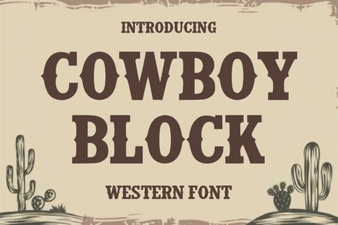 Cowboy Fonts for Rustic Designs & Creative Projects
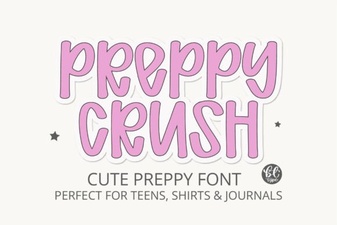 Preppycrush Font: a Fun Retro Design Resource
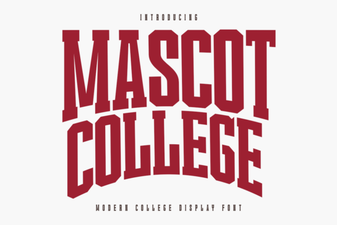 Mascot College Font Design Guide & Tips
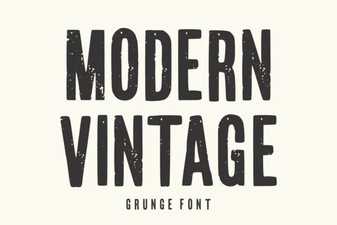 Modern Vintage Fonts for Creative Designs & Projects
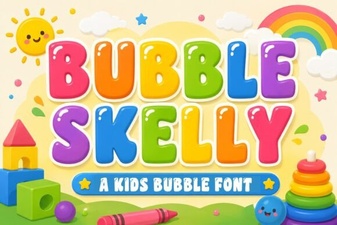 Bubble Skelly Font for Creative Halloween Designs