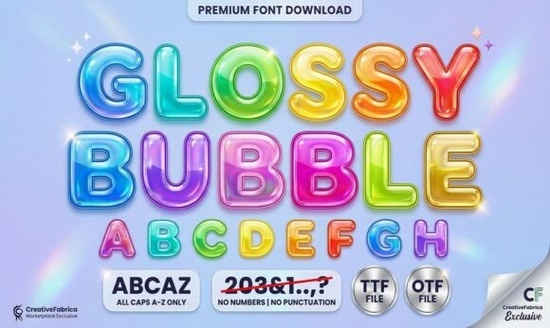
If you're looking for a display font that instantly adds a playful, 3D look to your designs, the Glossy Bubble Font is worth a closer look. It’s not just another bubble letter set the built-in highlights and thick outlines give each character a shiny, inflated feel, almost like a real balloon. That makes it a natural fit for projects where you want a cheerful, hand-drawn vibe without spending hours adding shadows and highlights yourself.
What makes Glossy Bubble different from other bubble fonts?
Most bubble fonts give you the round shape, but you still have to manually add lighting effects or extra line work to make them pop. Glossy Bubble includes those details right in the font file. Each letter has a white highlight mark built in, so the glossy 3D effect is there as soon as you type. That saves time if you’re working on a tight deadline or need a consistent look across multiple pieces. The letters are plump, with nice thick outlines that hold up well in small sizes and still look bold when scaled big.
Because the style feels hand-drawn but isn’t sloppy, it strikes a balance between cute and clean. That’s rare in this kind of “balloon” lettering you often get either overly messy or too perfect. Glossy Bubble sits somewhere in the middle, which makes it versatile for both digital and print projects.
How can you use Glossy Bubble in your projects?
This font shines in anything aimed at kids or a lighthearted audience. Think about:
- Party invitations and greeting cards – The glossy effect works great for birthday themes, baby showers, or any celebration where you want a festive feel.
- Stickers and labels – Because the letters already have highlights, they mimic physical vinyl or laminated stickers without extra design work.
- Apparel designs – T-shirts, tote bags, or hoodies with a fun, bubbly wordmark stand out, especially in bright colors.
- Social media graphics – Titles for kid’s content, classroom materials, or playful announcements get an instant lift.
- Classroom and educational resources – Worksheets, flashcards, and bulletin board headers feel more inviting when letters look like balloons.
If you often work with display fonts for projects like these, you might also like the Preppy Crush font for a different take on bubbly lettering with a bit more structure. For a sporty, casual style, take a look at the mascot college font options when you need that varsity vibe instead.
What design styles does Glossy Bubble pair well with?
Because the font is already bold and shiny, it works best when you keep other elements simple. Pair it with:
- Solid flat colors – A plain background lets the glossy letters stand out without competing.
- Simple icons or doodles – Small stars, clouds, or hearts that match the hand-drawn style reinforce the playful mood.
- Clean sans-serif fonts – Use a regular, non-decorative font for body text so the contrast makes the headline pop.
If your project needs something more elegant, try the beautiful smile font for a script alternative that keeps a cheerful tone. For summer-themed designs, the summer forever font can give you that vacation feel with a different letter shape. And when you need extra thickness and weight, the stacked chunky font style is a good companion for layered layout titles.
Is Glossy Bubble suitable for commercial use?
Yes like most Creative Fabrica fonts, Glossy Bubble comes with a standard commercial license when you purchase it through the site. That means you can use it in products you sell, like print-on-demand t-shirts, digital templates, or party printables. Always double-check the specific license terms for your use case, but generally, it’s safe for small business and personal projects alike.
How to get started with Glossy Bubble
Using a decorative font like this in your workflow is straightforward:
- Download and install the font file (OTF or TTF) on your computer or upload it to your design platform like Canva, Cricut Design Space, or Photoshop.
- Type your word or phrase using uppercase and lowercase letters to see how the highlights shift sometimes mixing cases gives the best visual rhythm.
- Adjust spacing and size – Because the letters are wide, you might want to add a little extra space between them for readability.
- Test it on your background – Use a solid or gradient background that contrasts with the white highlight so the shine is visible.
Quick checklist before you finalize your design:
- ✓ Have you checked the font at small sizes? The outlines should stay readable.
- ✓ Does the highlight direction match your lighting? All highlights are on the upper left, so keep your layout consistent.
- ✓ Is the color vibrant enough? Dark or bright backgrounds make the glossy effect stand out.
- ✓ If printing, test a sample to see how the outlines look on paper or fabric.
Once you’re happy, export your design and use it in your product mockups or final files. Glossy Bubble can save you time on adding 3D effects manually, and it gives your projects that extra pop that catches people’s eyes.
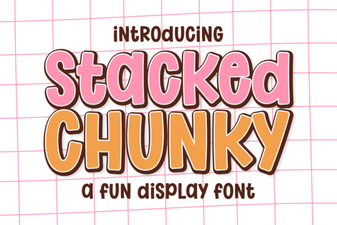 Chunky Font Designs for Creative Projects
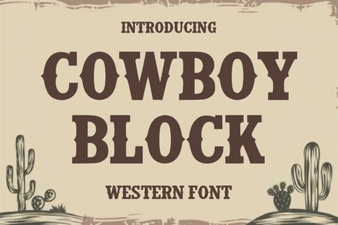 Cowboy Fonts for Rustic Designs & Creative Projects
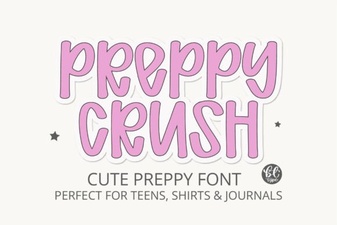 Preppycrush Font: a Fun Retro Design Resource
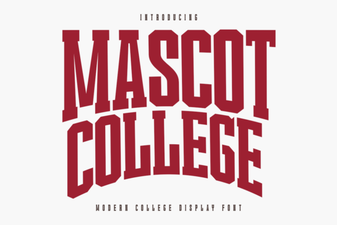 Mascot College Font Design Guide & Tips
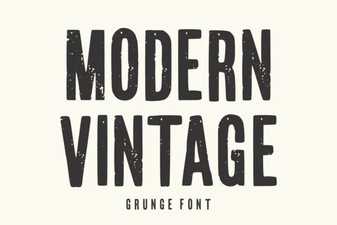 Modern Vintage Fonts for Creative Designs & Projects
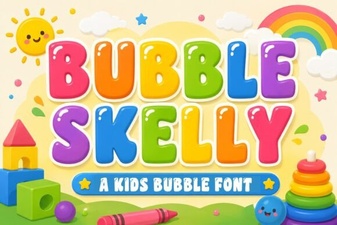 Bubble Skelly Font for Creative Halloween Designs