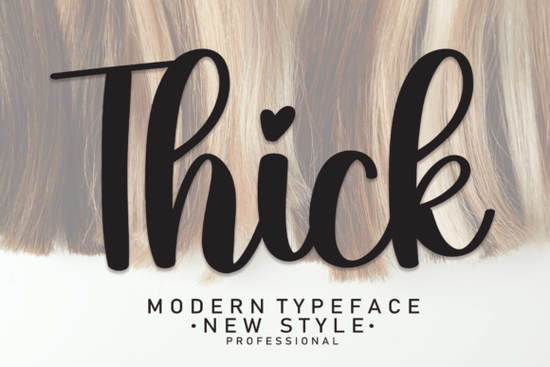
If you need a handwritten-style script that carries real weight without losing readability, Thick Font is worth a close look. Its latest letterforms are designed to stand out on wall displays, wedding invitations, social media logos, product packaging, labels, photography watermarks, and just about any project where a personal, hand-lettered feel matters. The strokes are bold but not clumsy, making it easy to read even at smaller sizes.
What makes Thick Font stand out for handwritten-style projects?
The biggest challenge with many script fonts is that they look great on screen but get lost when printed small or used on busy backgrounds. Thick Font solves that with consistent stroke widths and clear letter shapes. The letters have a natural, slightly imperfect rhythm that mimics real handwriting, yet each character remains distinct. This balance means you can use it for body text in a wedding program or as a headline on a product label without losing legibility.
Another strength is its versatility across media. Because the font is thick and solid, it works well for:
- Wall displays – large vinyl lettering or posters where thin scripts would feel fragile
- Wedding invitations – the handwritten taste adds intimacy without being overly decorative
- Social media logos – the thickness holds up on mobile screens and profile pictures
- Product packaging and labels – stands out on shelves and photographs well
- Watermarks – visible but not distracting over images
How to pair Thick Font with other script fonts for layered designs
When you’re working on a project that needs variety, pairing Thick Font with a lighter, more delicate script can create beautiful contrast. For example, use Thick Font for the main title or your brand name, and then a flowing script like Wonderful Butterfly Font for a tagline or subheading. The thick strokes anchor the design while the delicate curves add elegance.
Another natural pair is with Enchanting Script Font, which has more flourishes. Use Thick Font for the main message and Enchanting Script for decorative accents or initial caps. If you need a modern, clean counterpoint, Monday Font offers a fresh, geometric look that balances Thick Font’s organic feel.
For print-on-demand sellers, this pairing strategy is especially useful. You can create mockups with Thick Font for the primary product name and then add a secondary font for size charts or care instructions. The result looks professional without visual clutter.
Where should you use Thick Font in your design workflow?
Because of its bold but handwritten nature, Thick Font fits into several real-world scenarios:
- Social media post graphics – use it for quote cards or sale announcements. The thickness means it’s readable on Instagram Stories even with busy backgrounds.
- Product photography watermarks – a solid script that doesn’t get lost when scaled down. It protects your work without screaming for attention.
- Stationery and invitations – pairs nicely with minimal layouts. Add a subtle texture like linen paper, and the handwritten quality feels authentic.
- Labels and tags – for small businesses, this font gives packaging a handcrafted, approachable identity.
If you’re designing a logo for a local coffee shop or a handmade soap brand, Thick Font can convey warmth and quality better than a generic sans-serif. The key is to keep other design elements simple so the font can shine.
Is Thick Font suitable for beginners and professionals?
Yes. The font file works with most design software and includes standard characters, punctuation, and numbers. You don’t need advanced typography skills to get good results. For beginners, start with a white background, black text, and no effects. The font does the work. For professionals, you can layer it with other scripts like Stylish Font for a more editorial look, or adjust tracking and leading to fine-tune the rhythm.
One practical tip: when using Thick Font for wedding invitations, print a test copy at actual size. Because the letters are thick, the spacing might feel tighter than expected. A small increase in letter spacing (tracking) often improves readability without losing the handwritten feel.
Quick checklist before you download
- ☐ Confirm the file format (OTF/TTF) works with your software
- ☐ Check that it includes the glyphs you need (accents, special characters)
- ☐ Test on a mockup with your intended background – dark backgrounds may reduce contrast
- ☐ Pair with a lighter script if you need variation, but keep the main message in Thick Font
Whether you’re a small business owner creating your own labels, a wedding stationery designer, or a hobbyist crafting social media graphics, Thick Font gives you that handwritten touch without sacrificing clarity. Start with one project and see how it changes the feel of your work.
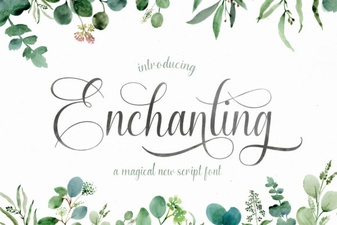 Fonts for Creative & Enchanting Design Projects
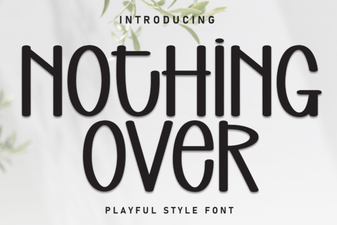 Minimalist Design Without Overusing Fonts
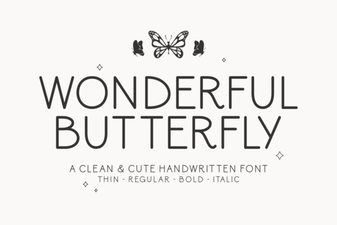 Creative Butterfly Font Design Ideas & Uses
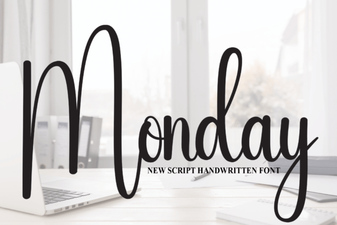 Monday Font: Clean Typography for Creative Workflows
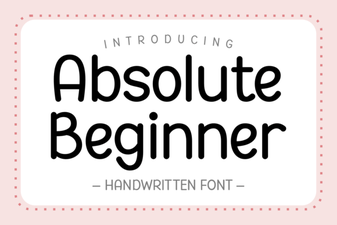 Free Fonts for Your First Design Project
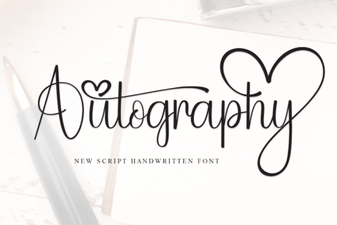 Autography Font for Distinctive Brand Design